Quality-of-life overlays, done cleanlya plugin framework & launcher for your game.
A clean plugin framework and cross-platform launcher that drops combat meters, HUDs, chat tools and overlays into your game — installed and kept up to date in one click. Quality-of-life only. No cheating.
Everything a modding platform should be — nothing it shouldn't
A clean-architecture framework, a friendly launcher, and a growing plugin ecosystem — designed so the useful stuff is one click away and the risky stuff is impossible by construction.
In-game overlay
A native overlay hosts every plugin's windows — HUDs, meters and tools that sit cleanly on top of the game, not a separate app.
Clean plugin API
Plugins target one small contracts assembly with read-only services — a small, safe surface that's easy to learn and hard to misuse.
One-click launcher
Detects your install, deploys the framework, toggles vanilla ⇄ modded, and launches — on Windows and Linux, no .NET required.
Always up to date
The launcher self-updates and pulls new framework releases automatically. Plugins ship through a registry you browse in-app.
QoL only, by design
Plugins target a small, read-only contracts surface — the useful quality-of-life stuff, kept deliberately simple and hard to misuse.
Fully open source
Framework, launcher and sample plugins are AGPL-3.0. Read every line, build it yourself, or write your own plugin against the SDK.
Install what you need, skip what you don't
Browse the registry in the launcher and toggle plugins per session. A few of the ones already building against the SDK:
Combat Meter
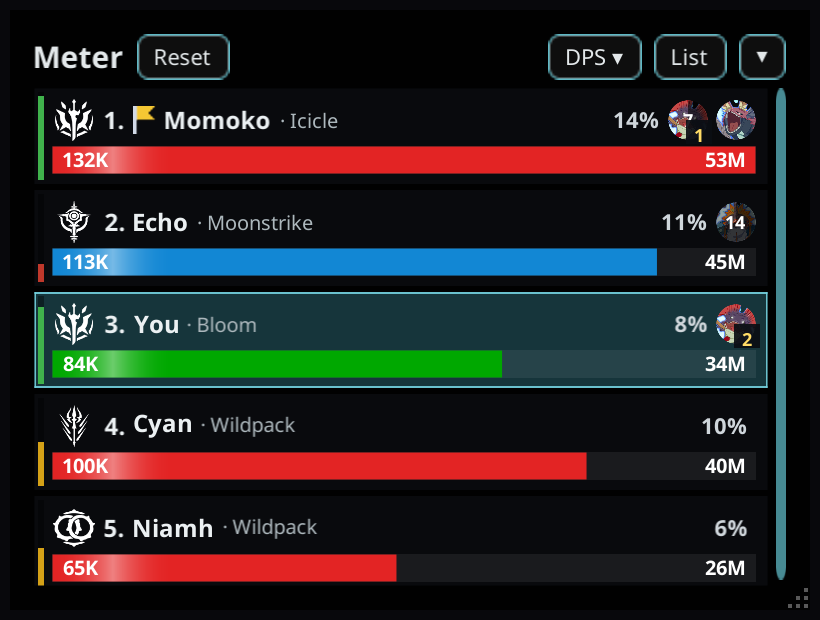
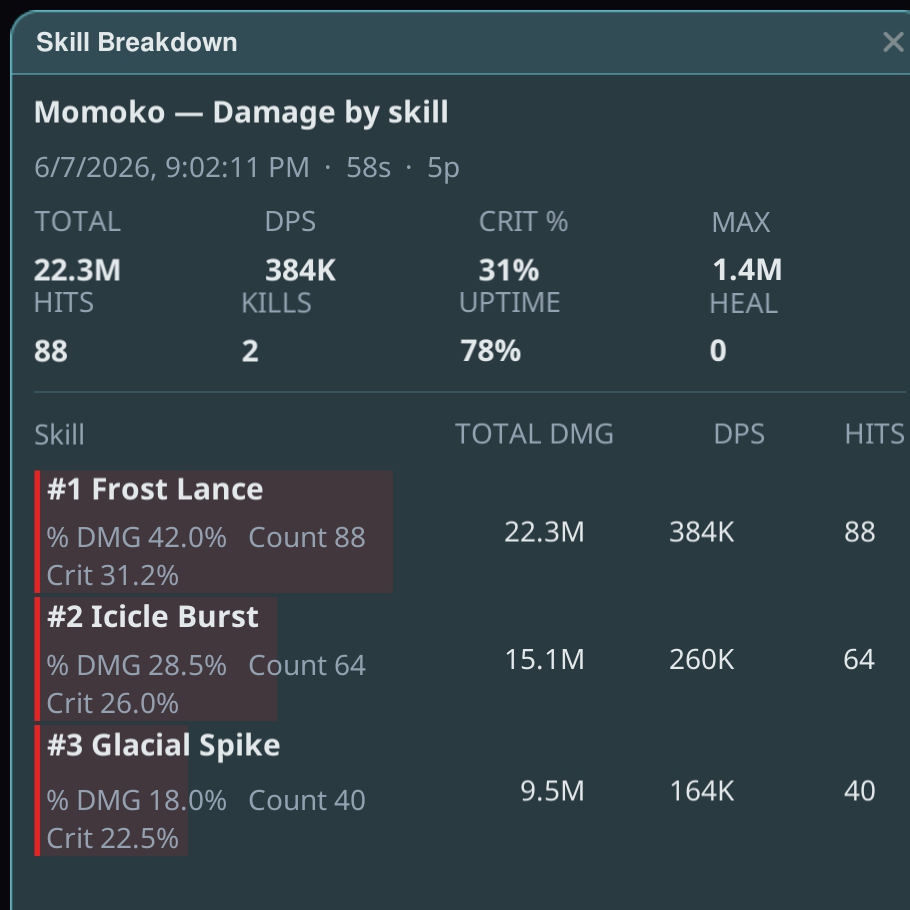
Real-time party DPS / HPS overlay with per-target breakdowns.
Loadout Switcher
Hotkey-swap your saved loadouts, with on-screen toast feedback.
Minimal Nameplate
Clean, minimal overhead nameplates with class badges.
Cooldown Bar
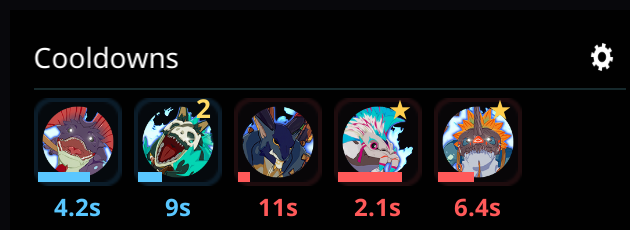
Tracks skill cooldowns on a clean, movable timeline bar.
Entity Inspector
Debug overlay for nearby entities — handy for plugin authors.
Stat Inspector
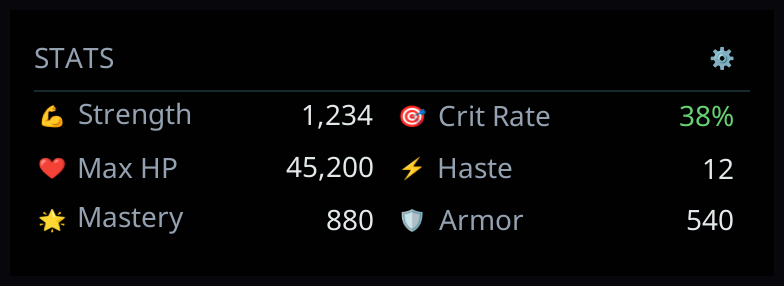
Surfaces your live character stats in a readable panel.
Raid Manager
Raid coordination tools shown as a clean, movable HUD overlay.
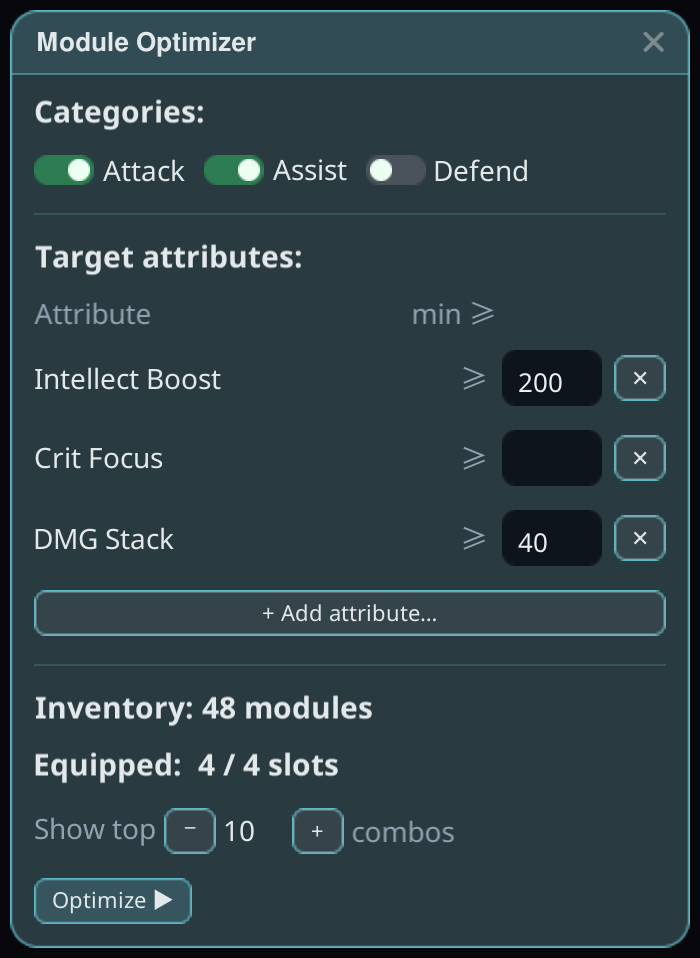
Module Optimizer
Suggests module setups — you approve; the game validates.
Real overlays, rendered in-engine
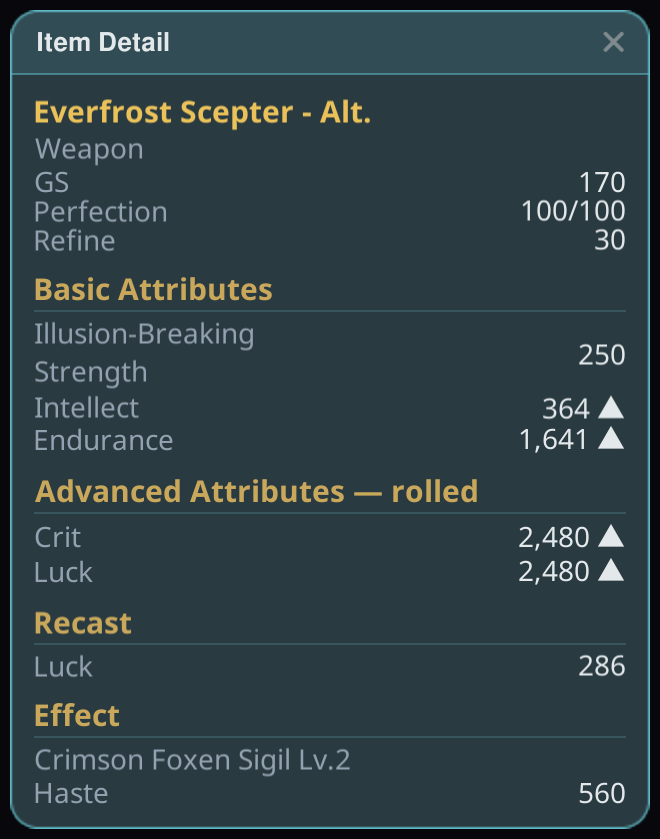
Actual plugin windows from the uGUI overlay — not mockups. This is what sits on top of your game, drawn by the framework itself.
Write a plugin in an afternoon
Reference a single contracts package — no game install or framework checkout required. Implement the plugin interface, draw your UI through the overlay, and read game state through typed, read-only services.
- ✓ Clean Architecture: plugins see only
Stellar.Abstractions - ✓ Roslyn analyzers keep the surface small and safe
- ✓ Publish to the registry; the launcher does the rest
public sealed class MyFirstPlugin : IStellarPlugin
{
    public string Name => "My First Plugin";

    private IPluginServices _services;

    public void Initialize(IPluginServices services)
    {
        _services = services;
        // read-only state via the plugin services
        var me = services.PlayerState.Local;
        services.Log.Info($"Hello, {me.Name}!");
    }

    public void Draw(IOverlay ui)
    {
        ui.Window("Hello", () =>
            ui.Label("Drawn on the in-game overlay ✦"));
    }
}
Start resonating in one click
Download the launcher, point it at your game, and hit Install. Vanilla is always one toggle away — and it's all open source.